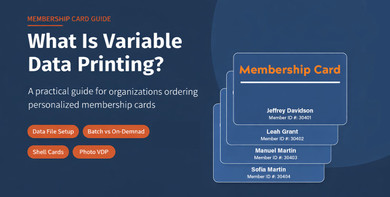
When an organization orders 250 membership cards, those cards need to look the same. Same logo, same layout, same colors. But each member's name, ID number, and expiration date has to be different on every single card.
That is what variable data printing solves. It is the process that lets a print run produce 250 identical-looking cards where the specific information on each one is unique, pulled from a data file you provide.
This guide explains how it works, what your data file needs to look like, when you need it, and what to watch out for before you place an order. For background on membership cards generally, see our guide here.
What Variable Data Printing Actually Means for Membership Cards
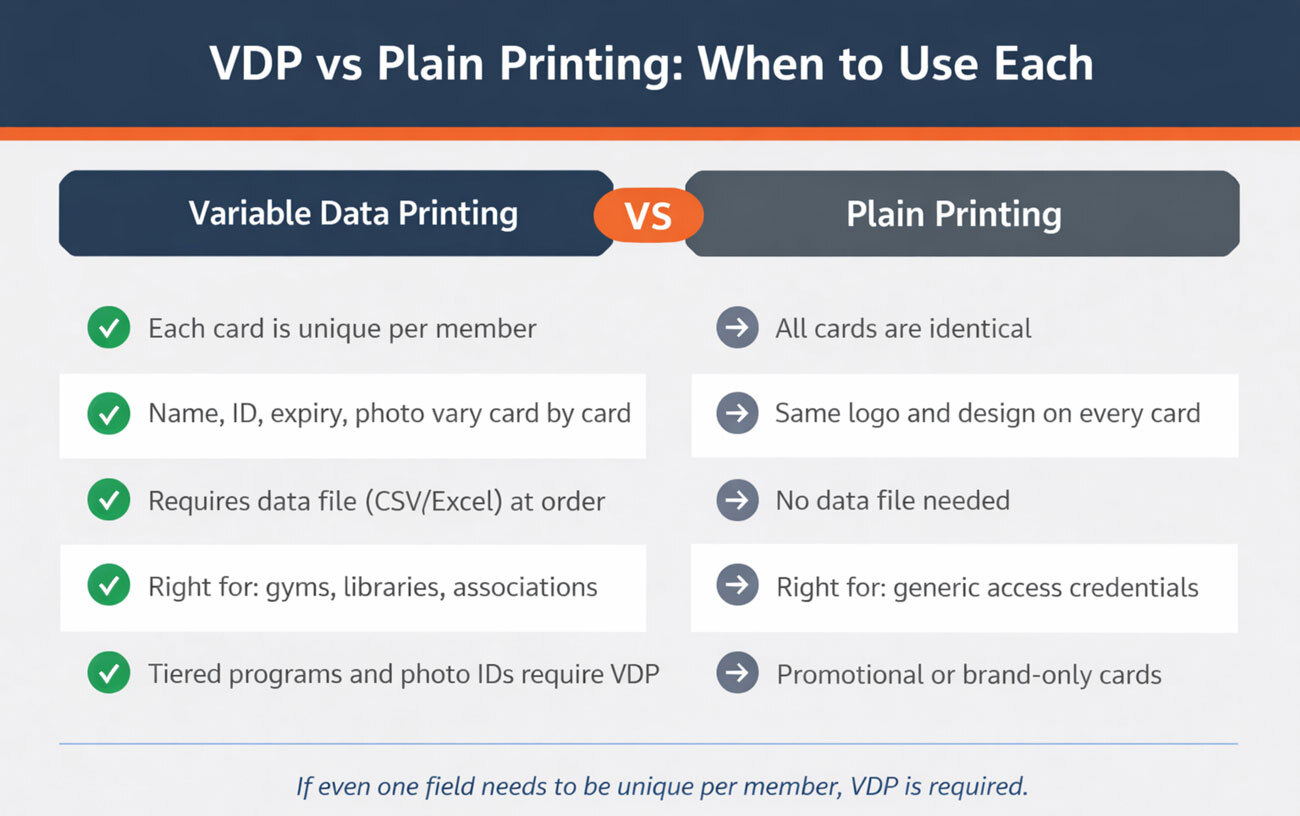
Variable data printing (VDP) is a digital printing process where certain fields on a printed piece change from one copy to the next, while the underlying design stays fixed.
For a membership card, the design template is static: the logo sits in the same place, the colors are consistent, the layout does not shift. What changes is the content inside designated fields. The member's name on card one is different from the name on card two. The member ID on card 250 is different from the one on card 5. That variation - similar to a data merge - happens automatically, driven by a spreadsheet you provide before production begins.
This can be completed two different ways:
Option 1 - Personalization in a Single Batch
With this option, if 250 cards are ordered, they will be personalized using variable data printing all at once. This is useful for organizations that handle renewals annually or require cards for a specific event and typically have a minimum order quantity of 100.
Option 2 - On-Demand Personalization Over Time
Most organizations or clubs have new members that trickle in over time. They may need a larger quantity of cards initially and then much smaller amounts each month. When on-demand personalization is selected, a set number of cards are preprinted in advance with everything that does not change. Those “card shells” are then stored. Each time a new batch of cards is needed, a data file is supplied which can contain as few as 1 name. VDP is then used to personalize the name, ID, and any other variable fields as needed.
VDP (Variable Data Printing) is what makes it possible to run tiered membership programs from a single order. Silver cards, Gold cards, and Platinum cards, each with unique member names and IDs, produced as one batch from a single data file.
What Gets Printed with VDP on a Membership Card
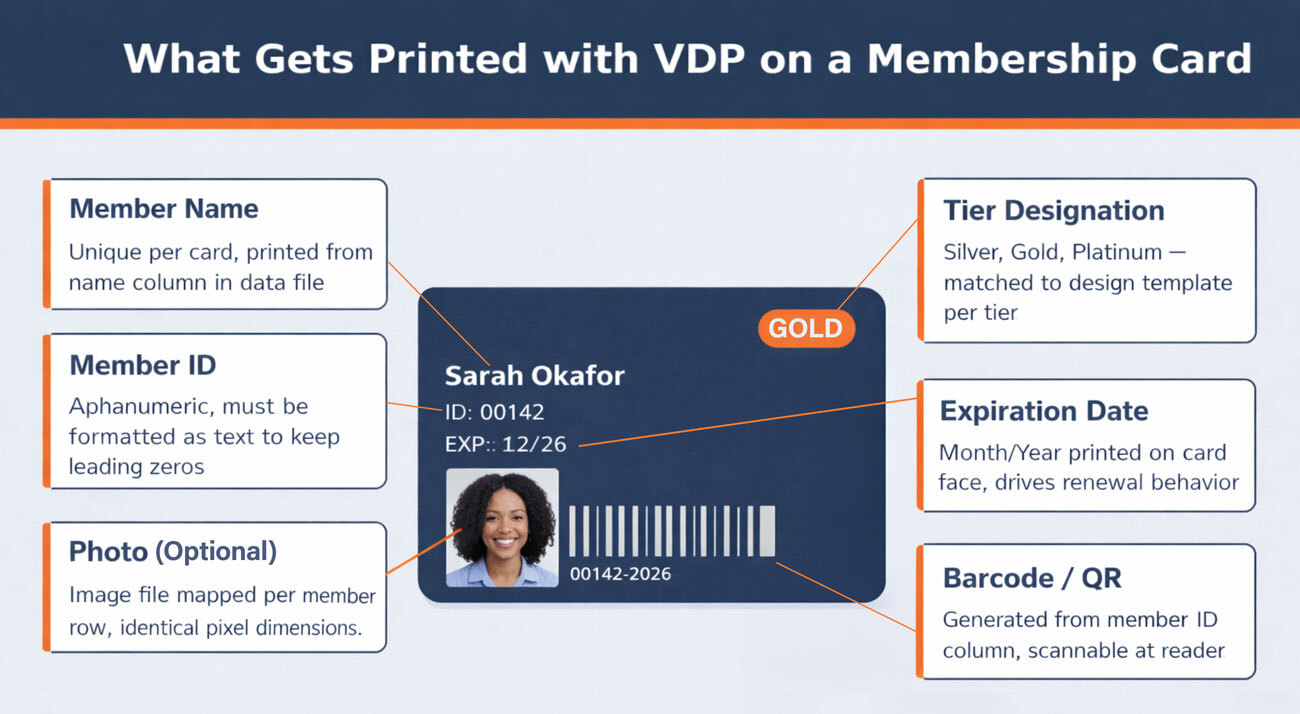
Any field that needs to be unique per member is a candidate for variable data. On a membership card, the most common variable fields are:
- Member name: First name, last name, or full name printed on the card face. The most common use of VDP on membership cards.
- Member ID: A unique alphanumeric identifier assigned to each member. This is the field most likely to cause data file errors if not formatted correctly before submission.
- Expiration date: Month and year of membership expiration, printed on the card. Useful for programs that renew annually and want the expiration to serve as a visible renewal prompt.
- Tier designation: Silver, Gold, Platinum, Lifetime, or whatever tier label applies to each member. Combined with a tiered design template, this produces visually differentiated cards from one data file.
- Photo: A printed photograph of the member. Requires image files in addition to the data spreadsheet, and has specific formatting requirements covered below. This option is typically only selected when cards are also used as identification for entry.
- Barcode or QR code: A unique barcode or QR code generated from the member ID or a separate code field in your data file. The code is printed on the card and can be scanned at a reader.
Printed vs encoded: It is worth being clear on the distinction. VDP refers to what is printed on the card surface. Encoding is a separate process where data is written to a chip or magnetic stripe embedded in the card. A card can have a printed barcode (VDP) and an RFID chip (encoding) at the same time. They are not the same thing and do not replace each other.
How to Set Up Your Data File
Your data file is what drives the entire VDP process. The print system reads it row by row, applying each member's data to their card. Getting this file right ensures that your cards will be personalized correctly.
File format: Submit as a CSV (comma-separated values) or Excel file. If you use Excel, format the member ID column as text before entering any data. Excel's default number formatting drops leading zeros, so a member ID of 00142 becomes 142 in the print file. Once that zero is gone, the number on the card will not match your database.
Column structure: One row per member. One column per variable field. Label each column clearly so the column maps directly to a field in the card template.
A correctly structured file for a tiered membership program looks like this:
|
First Name |
Last Name |
Member ID |
Expiration |
Tier |
|
Sarah |
Okafor |
00142 |
12/2026 |
Gold |
|
James |
Whitfield |
00143 |
12/2026 |
Silver |
|
Priya |
Nair |
00144 |
12/2026 |
Platinum |
Record count: The number of rows in your data file must match the number of cards you ordered. If you’ve ordered 250 cards and the data file contains a header row, your file should contain 251 rows.
Photo files: If your cards include photo personalization, each image file must be identical in pixel dimensions to every other image in the batch. A difference of a single pixel in height or width will cause misalignment on that card. Name each file to match the corresponding row in your data file, and add a column called “File Name” that contains the exact file name for each image. Submit all image files together in a single folder alongside the spreadsheet.
If you are unsure about file setup, submit a sample row or two for review before sending the full file. Catching a formatting issue on a test submission is far less disruptive than catching it after a full print run has been approved.
Batch Orders vs On-Demand: Two Ways to Use VDP
VDP works in two different production models for membership cards. Which one fits depends on how your members join.
Single batch order: You have a complete member list. You submit one data file. The entire run is printed, personalized, and delivered together. This is the standard model for programs that onboard members in groups, run annual renewals, or issue cards at a defined enrollment period.
On-demand personalization via shell cards: Your members trickle in over time. Rather than running a new print job every time someone joins, pre-printed shell cards carry your branding but no member-specific data. When a new member joins, a shell card is pulled from inventory and personalized with their details on demand. This removes the minimum order constraint for each new member and keeps turnaround fast for individual card issuance.
The shell card model also works well for programs with high member turnover, where reprinting a full batch regularly would be wasteful. Cards are personalized as needed from standing inventory rather than as part of a scheduled production run.
Do You Actually Need VDP? When Standard Printing Is Enough
Not every membership card order needs variable data printing. If all your cards are identical, VDP adds cost and a data file requirement you do not need.
Standard printing is the right choice when:
- Every member receives the same card with no unique information on it
- Your organization handles personalization in-house using your own card printer
- The card functions as a generic access credential or brand item rather than an individual member credential
VDP is necessary when at least one field on the card needs to be different for each member. A card with just the organization logo and a standard design is a plain print job. A card with a member name, even without anything else, requires VDP.
Some organizations start with plain printed cards and add VDP when their program grows to the point where member identification at the point of access matters. That is a reasonable progression, and it is worth knowing the option exists before assuming all cards need to be personalized from day one.
If you have your own thermal card printer, you can order blank PVC cards and handle personalization yourself. That is a separate workflow entirely and does not involve submitting a data file to a print vendor.
What Is Variable Data Printing Used for on a Membership Card?
Variable data printing on a membership card is used to print unique information on each card in a batch run. The most common uses are: member name, member ID number, expiration date, tier designation, barcode or QR code, and/or member photo. Each of these fields is pulled from a row in a data file you provide, and printed onto that member's card as part of the production run.
For a gym or library issuing 500 membership cards with unique barcodes and member names, VDP handles both fields in one pass. For a professional association issuing tiered credentials with Silver, Gold, and Platinum designations, VDP applies the correct tier label to each card while the design template handles the visual differentiation. For a country club issuing photo ID cards, VDP merges the photo file and member data onto each card from a single submission.
The common thread is that VDP replaces a process that would otherwise require manual handling of each card, and it does so at the same production speed as a static print run.
Can a Membership Card Have Both a Barcode and a Member Name?
Yes. A membership card can carry both a printed barcode and the member's name, and both are produced through variable data printing from the same data file.
In the data file, the member's name sits in one column and the barcode data (typically the member ID or a separate code) sits in another. The print system reads both columns for each row and applies the name to the name field and the barcode to the barcode field on that member's card. The barcode is generated from the code value in the file, not pre-drawn.
This combination is standard for gym and fitness programs, library systems, golf and country clubs, and any organization where members are verified by name at a staffed desk but also scan in using a reader. Both fields serve different functions and there is no conflict between them on the card.
If a card also needs an RFID chip or magnetic stripe, those are encoded separately as part of the production process. The printed barcode and the encoded chip can coexist on the same card and carry the same member ID value, giving staff and automated systems two ways to read the same credential.
Placing a VDP Order: What to Have Ready
When you are ready to order personalized membership cards, having the following prepared before you start saves back-and-forth time:
- A data file in CSV or Excel format, with member ID columns formatted as text to preserve leading zeros
- Column headers that clearly label each field: first name, last name, member ID, expiration date, tier, and any other variable fields
- Photo files in identical pixel dimensions if photo personalization is part of the order, named to match the corresponding rows in your data file
- A clear brief on which fields are variable and which are static, so the card template is built correctly from the start
VDP is one of those parts of the card printing process that feels technical until you have done it once. The data file structure is straightforward, and the print system handles the rest. The most common issues, leading zeros dropping from member IDs and photo files with inconsistent dimensions, are easy to fix before submission if you know to check for them.
For organizations and clubs placing their first personalized card order, starting with a small batch to confirm the file setup and card output before committing to a full run is a practical approach. Custom membership cards with variable data printing, including name, ID, expiration, and barcode, are available at printrobot.com/membership-cards/.
Order Variable Data Membership Cards
Print Robot handles the full VDP process from assisting with your design and reviewing your data files to finished, personalized cards. Fulfillment services are also available to provide a complete distribution solution.
Get started with free design services to see how your membership cards will look before placing your order. Standard turnaround is 10 to 15 business days for a single batch, with on-demand personalization campaigns shipping out in less than a week.