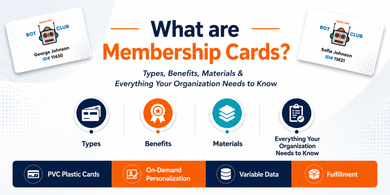
A membership card is more than proof that someone belongs to a program. It is the credential members use to identify themselves, access benefits, and interact with the program. For many organizations, it is also the first physical piece of the membership experience a new member receives.
For gyms, golf and country clubs, nonprofits, spas, car washes, museums, associations, and private clubs, the challenge is not just printing a card. It is choosing the right material, format, personalization, and technology for how the membership actually works.
This guide explains what membership cards are, how they work, what they are made of, the main types available, and what to consider before ordering custom cards for your organization.
What Are Membership Cards?
A membership card is a physical credential issued by an organization to confirm that an individual is an active, recognized member. At its most basic, it does five things:
- Proves identity
- Grants access
- Triggers benefits
- Collects data
- Reinforces belonging
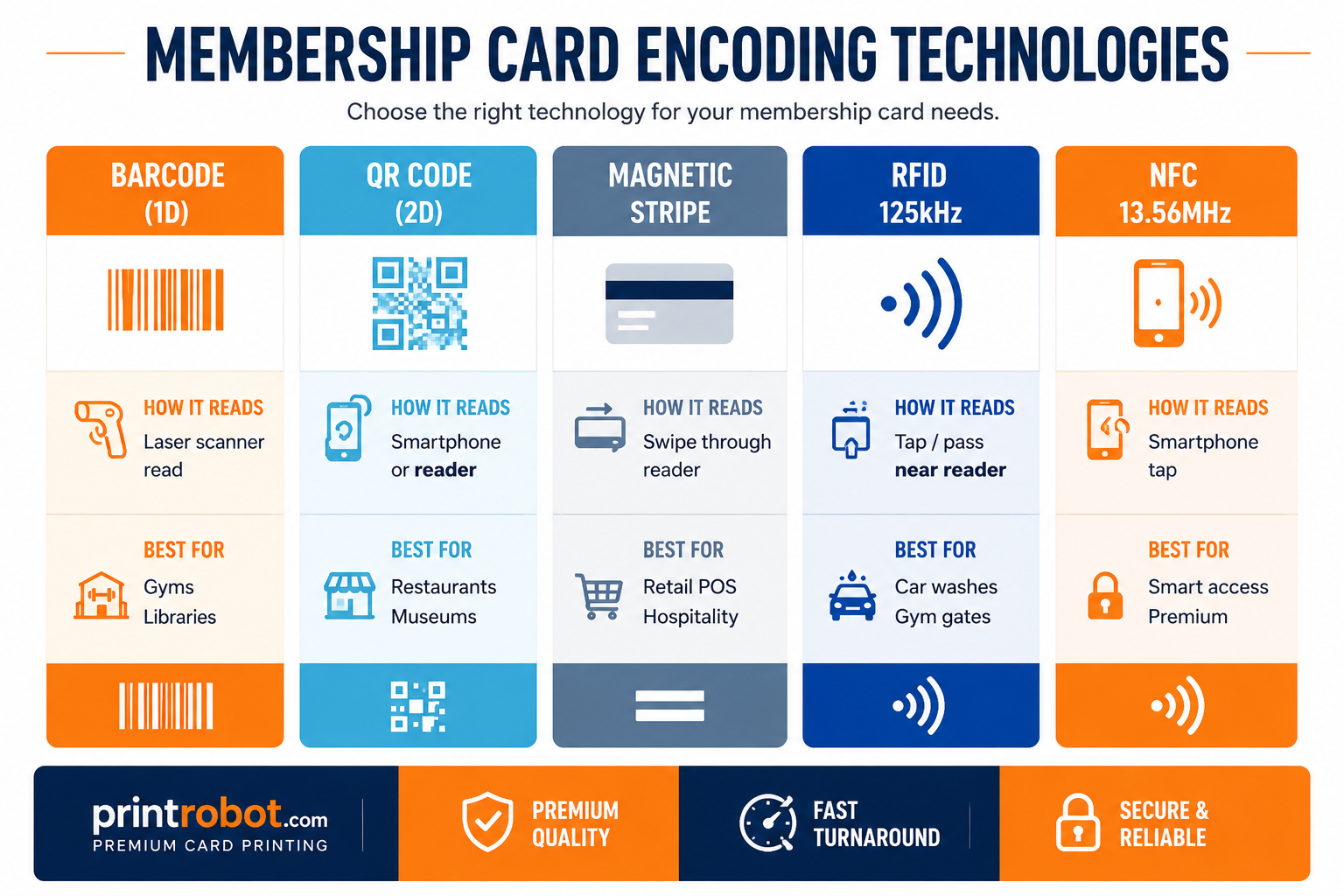
Some membership cards are used mainly as proof of membership, while others can be scanned or swiped to perform a specific function using a magnetic stripe, barcode, QR code, or embedded RFID technology chip according to the organization's access or POS system requirements.
A Brief History
Membership cards started as simple paper credentials. As organizations grew, laminated cards and then PVC plastic cards became more common because they lasted longer, looked better, and were easier to carry every day.
Over time, organizations began adding member names, ID numbers, expiration dates, barcodes, QR codes, magnetic stripes, and contactless access features. These upgrades helped cards move from simple proof of membership to practical tools for check in, access, and member tracking.
Digital cards became common as more members started using smartphones, but printed cards never disappeared. Many organizations now use either physical cards or a physical plus digital setup because members still value something they can hold, carry, and use without depending on a phone.
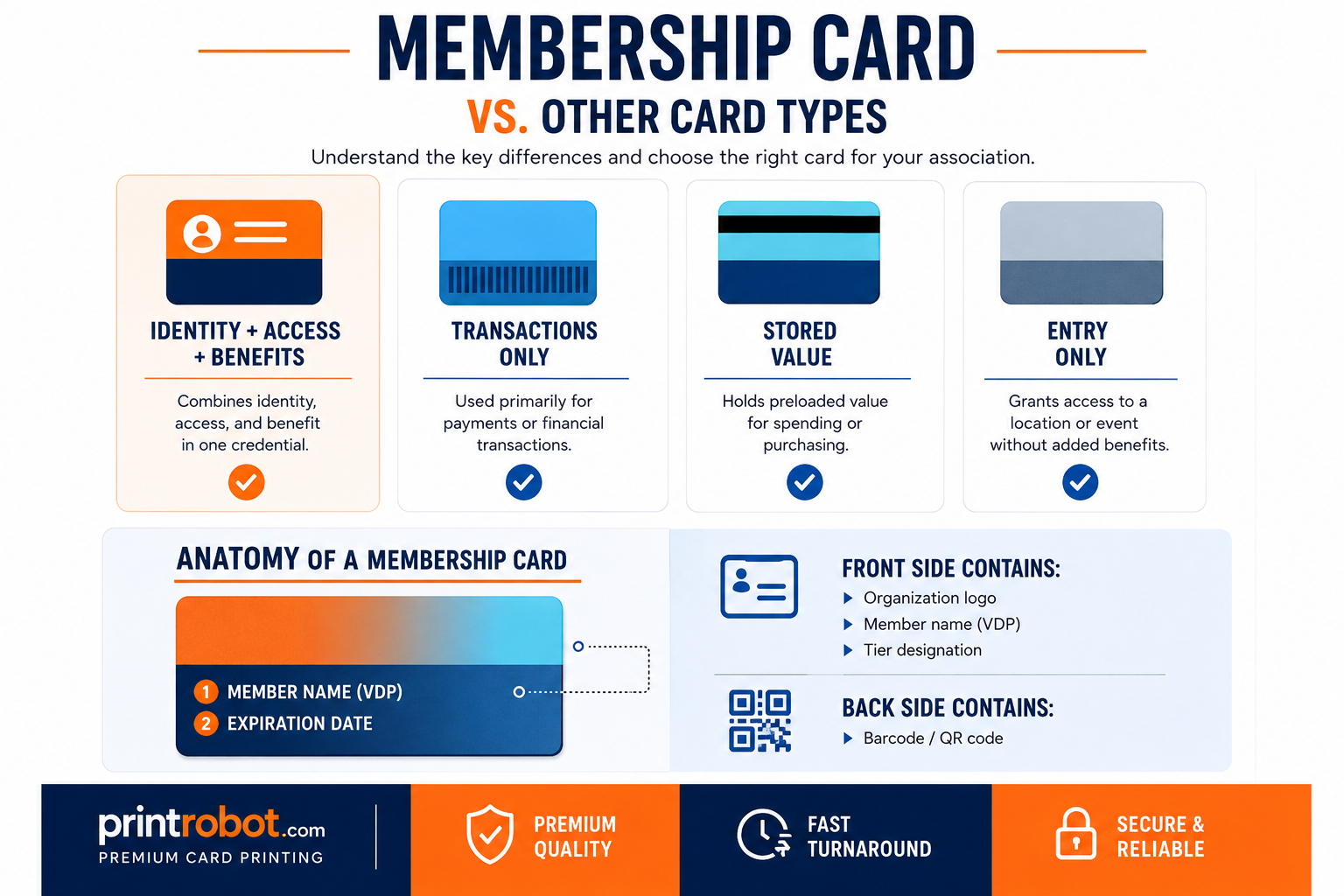
Membership Card vs Other Card Types
These are often confused, but each serves a distinct purpose.
|
Card Type |
Primary Function |
Key Difference |
|
Membership Card |
Proves belonging, can grant access or unique discounts and benefits |
Identity + access + benefits combined |
|
Loyalty Card |
Tracks purchases, rewards repeat customers |
Tracks transactions, but does not usually prove identity or access. |
|
ID Card |
Provides identification |
Identification is primary use |
|
Gift Card |
Stores prepaid monetary value |
No membership, no access, no identity |
|
Access / Key Card |
Controls door access at hotels and places of business requiring security |
No identity or benefit layer |
Common Membership Card Formats
Membership cards come in different formats depending on how the program works. Some are simple printed cards, while others connect to scanners, access systems, POS systems, or member databases.
- Plastic Membership Cards: Best for long term programs, daily use, and professional member experiences.
- Paper Membership Cards: Useful for short term programs, events, or lower cost member credentials.
- Barcode Membership Cards: Good for front desk scanning, gym check in, libraries, clubs, and retail counters.
- QR Code Membership Cards: Useful when the card needs to open a member profile, renewal page, benefit page, or verification link.
- Magnetic Stripe Membership Cards: Best when the organization already uses swipe based POS or access systems.
- RFID Membership Cards: Good for contactless entry, gates, turnstiles, car washes, gyms, and automated access.
- Key Tag Membership Cards: Useful when members need quick access without carrying a wallet card.
Some organizations also create different card designs for basic, premium, lifetime, annual, guest, or temporary members. This helps members quickly understand their access level while giving premium tiers a more noticeable physical identity.
Most membership cards use the standard wallet size format, but some programs also use key tags, card and key tag combos, or custom shapes when convenience or branding matters.
What Are Membership Cards Made Of?
Material
The vast majority of membership cards are made from PVC plastic at 30 mil thickness, the same as a standard credit card. PVC is durable, waterproof, scratch resistant, and compatible with thermal card printers for in house personalization. Plastic cards usually last 3 to 5 years, and sometimes longer, under normal daily use.
Standard CR80 Dimensions
|
Specification |
Value |
|
Width |
3⅜ inches / 85.6mm |
|
Height |
2⅛ inches / 53.98mm |
|
Thickness |
30 mil / 0.76mm |
|
Corners |
Rounded (standard) |
Finish Options
- Gloss: vibrant colors, high shine, most popular finish
- Matte / Satin: premium feel, fingerprint-resistant, sophisticated and understated
- Spot UV: selective gloss highlights on specific design elements against a matte base
What Gets Printed on a Card
Front: Organization logo, member name, member ID, tier designation (optional), expiration date (optional)
Back: Any relevant contact details, website and social media URLs, and/or membership benefits. Optional upgrades may include barcode or QR code, magnetic stripe, or signature panel.
|
The back of a card is often underused. A QR code can link to member benefits, events, or a renewal page, giving members updated information without reprinting the card. |
Security and Premium Features
|
Feature |
What It Does |
Best For |
|
Embossing |
Raised lettering pressed into the card surface |
Premium tier cards, prestige programs |
|
Hologram overlay |
Anti-counterfeiting visual security layer |
High-security credentials |
|
UV printing |
Ink visible only under UV light |
Fraud prevention |
|
Signature panel |
Area for members to sign |
ID verification at point of access |
|
Slot punch |
Hole for lanyard or badge holder |
Events, conferences, staff cards |
Technology Inside Membership Cards
How Membership Cards Connect To Systems
Some membership cards are printed only. Others connect to a scanner, POS system, access control system, or membership database.
- Printed Cards: Used when the card only needs to show proof of membership.
- Scannable Cards: Use a barcode or QR code to look up a member record.
- Swipe Cards: Use a magnetic stripe with compatible readers.
- Contactless Cards: Use RFID or NFC for tap based access.
- Personalized Cards: Use variable data printing to add unique member names, IDs, photos, or expiration dates.
The card itself is only the physical credential. The scanner, reader, POS system, or membership database is what makes the card functional.
If every card needs a unique name, member number, barcode, QR code, expiration date, or photo, variable data printing is usually the cleanest setup.
Benefits of Membership Cards
For the Organization
- Operational consistency: Cards give staff a simple way to verify members at check-in, entry points, counters, events, or service areas.
- Stronger program recognition: A professionally printed card makes the membership feel more organized and official.
- Access and usage tracking: Barcode, magnetic stripe, QR code, and RFID cards can support check-ins, entry logs, visit frequency, and member activity tracking.
- Clearer member tiers: Different card designs can help separate standard, premium, lifetime, guest, annual, or VIP members.
- Fraud reduction: Personalized cards with names, IDs, photos, expiration dates, or security features are harder to misuse than screenshots or generic paper credentials.
For the Member
- Easy proof of status: Members can quickly show, scan, swipe, or tap their card when needed.
- Simpler access to benefits: The card helps members use perks, discounts, admission, or entry without searching through emails or apps.
- More premium experience: Custom finishes, names, tier labels, and clean design can make the membership feel more valuable.
The Psychology of Membership Cards
A membership card can make a program feel more concrete because it turns membership into something visible and usable.
Belonging Is a Core Human Need
People often join organizations because they want to be part of a group, not only because they want discounts or access. A membership card gives that connection a clear physical marker.
The Tangibility Effect
Digital credentials can be easy to overlook inside an app or email. A printed card gives members something simple to carry, store, and use when needed.
Social Identity Theory
Members often associate themselves with the groups they join, whether that group is a gym, golf club, museum, nonprofit, or association. A card reinforces that identity in a practical way.
Renewal Reminders
An expiration date, tier name, or member ID can make renewal easier to notice. Instead of relying only on emails, the card itself can support the renewal process.
Who Uses Membership Cards?
Membership cards are used across virtually every sector where organizations have recurring members, subscribers, or program participants.
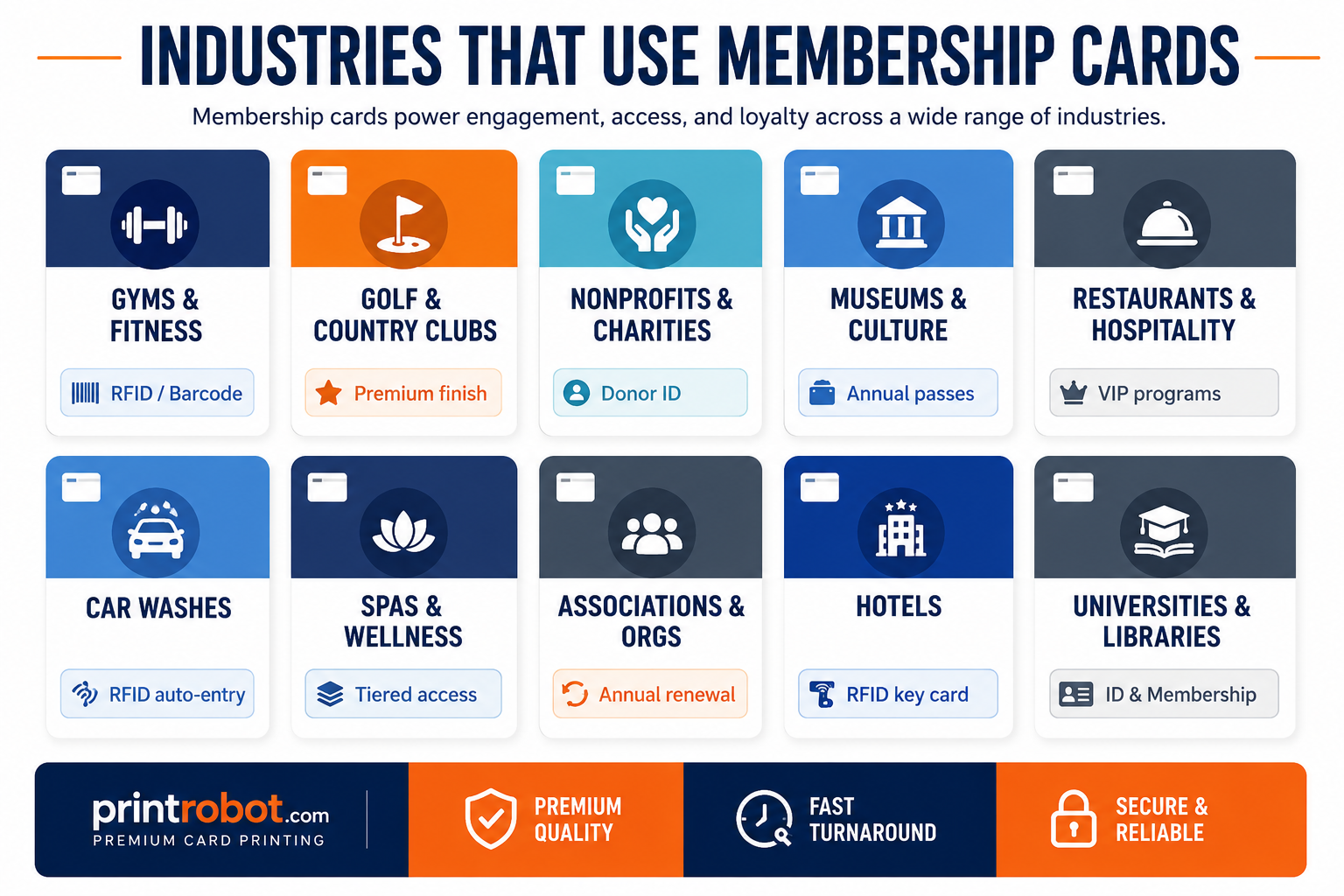
Industries that rely on printed membership cards as operational and retention tools
- Gyms And Fitness Centers: Use membership cards for check in, access, and member identification.
- Golf And Country Clubs: Use cards to show member status and support premium member experiences.
- Museums: Use cards for annual passes, family memberships, and admission checks.
- Nonprofits: Use cards for donor recognition, volunteer identification, and member belonging.
- Car Washes: Use cards for plan verification and access.
- Spas And Wellness Centers: Use cards for member perks, access, and tiered programs.
- Hotels And Hospitality: Use cards for guest programs, rewards, and access.
- Libraries And Universities: Use cards for identification, access, and borrowing privileges.
Why Membership Cards Matter
They Support In-Person Use
Membership cards are still useful for programs where members check in, enter a facility, show proof of status, or access benefits in person.
They Reduce Friction
A printed card does not require an app, password, phone battery, internet signal, or email search. Members can simply present, scan, swipe, or tap the card.
They Keep Membership Easy To Recognize
A card with a member name, ID number, tier, or expiration date gives both the organization and the member a quick way to confirm status.
Alternatives to Membership Cards
What Else Do Organizations & Clubs Use?
Key Tags are a popular complement to a full CR80 card, not always a replacement. They clip to keychains and work well for gym scan-in. Many organizations issue a combo card and key tag option.
Engineered Paper Cards are a new, eco-friendlier option that have a similar feel to plastic. They aren’t quite as durable, however, they are more robust than a standard paper business card.
Digital Only Cards
Digital cards stored in Apple Wallet or Google Wallet are convenient for members who prefer using their phones. They can reduce printing needs and update quickly. But they may not work well for members who prefer physical credentials, do not want to manage access through a phone, or need something that works without battery, signal, or app access.
When Physical Printed Cards Are the Right Choice
For organizations with a physical location, such as gyms, spas, museums, car washes, golf clubs, or restaurants, printed membership cards are often the practical choice. They are especially useful when members need fast check-in, simple verification, or a credential that works across staff, front desks, gates, scanners, or POS systems.
Frequently Asked Questions
What is a membership card?
A membership card is a printed or encoded card that confirms someone is part of a membership program. Depending on the setup, it may also support check-in, access, benefits, identification, or renewal workflows.
What size is a standard membership card?
The standard size is CR80, which is 3⅜ inches wide by 2⅛ inches tall. This is the same size as a standard credit card and fits in most wallet slots.
What are membership cards made of?
Most membership cards are made from PVC plastic at 30 mil thickness. Some programs may also use engineered paper cards for short term or lower cost use.
How long do plastic membership cards last?
Under normal use, PVC plastic membership cards usually last 3 to 5 years. Lifespan depends on how often the card is used, how it is stored, and whether it includes special features.
What is the difference between a membership card and a loyalty card?
A membership card proves belonging and may support access, benefits, or identification. A loyalty card usually tracks purchases and rewards repeat transactions.
Do membership cards expire?
They can, and many programs use expiration dates as a natural renewal reminder. Annual cards, seasonal cards, and tier based cards often include an expiration date.
Who uses membership cards?
Gyms, golf clubs, spas, car washes, museums, nonprofits, associations, restaurants, hotels, universities, libraries, and private clubs all use membership cards.
Can I get free samples before ordering?
Yes. Print Robot offers free card samples so you can check material, print quality, finish options, and overall card feel before placing a full order.
Conclusion
A membership card works best when it matches how the program actually operates. A simple printed card may be enough for proof of membership, while barcode, QR code, magnetic stripe, RFID, or personalized cards may be better for check-in, access, benefits, or renewal workflows.
The card is not the whole membership program, but it is often the part members use most directly.
If you are ready to print custom membership cards for your organization, Print Robot can help you choose the right card material, finish, personalization method, and production setup.
You can order custom membership cards as a single batch, request free design help, view pricing, or ask for a quote if you need bulk printing, variable data printing, on-demand personalization, or a shell card program with fulfillment support.
Shop custom membership cards, request free samples, or contact Print Robot to build a membership card program that fits how your organization actually issues, manages, and renews member cards.