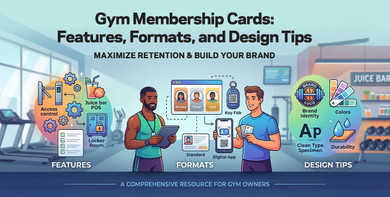
Create compelling cards that enhance member loyalty and brand identity
Whether you manage a gym, fitness studio, or exercise facility, getting your membership card setup right takes some thought — this guide covers what actually matters: what goes on the card, which format fits your operation, and what design choices hold up under daily use.
What Should a Gym Membership Card Include?
Most gym cards need four things at minimum: member name, member ID, expiration date, and a scannable code or visual identifier.
Everything beyond that depends on how your facility operates.
Member Name
A named card creates accountability.
When a member presents a card at the front desk or access point, staff can match it to the person standing in front of them without relying entirely on a screen lookup. For gyms without photo ID, the printed name becomes even more important.
Member ID Number
The member ID is the field your check-in system actually uses.
It links the card to a record that holds visit history, membership tier, payment status, and expiration details. The number does not need to mean anything to the member. It just needs to stay unique and consistent across your system and printed cards.
Expiration Date
Put the expiration date somewhere visible.
A member who can see their expiration date is more likely to renew before the card stops working. A member who cannot see it usually finds out only when check-in fails.
For annual memberships, rolling contracts, and short-term passes, the expiration date is one of the most useful fields on the card.
Barcode, QR Code, or RFID Identifier
If your check-in system uses scanning or tap access, the card needs a code or chip that connects to your software.
Most gyms use barcodes or QR codes for standard entry. RFID and NFC make more sense when members tap to unlock a door without staff present. The right choice depends on your hardware. If you are still deciding, the magnetic stripe vs. barcode vs. QR code comparison goes deeper on each option.
Membership Tier or Plan Label
If your gym runs multiple membership tiers, such as standard, premium, or founding member, the tier should appear on the card.
Without it, every check-in tied to a tier-specific benefit turns into a screen lookup. If your gym runs a simple single-tier structure, this field is optional.
Member Photo
Photo ID helps reduce card sharing.
In large gyms and high-traffic facilities, that can be worth the added complexity. In smaller studios where staff know members personally, it is often unnecessary. If each card needs a unique name, photo, tier, ID, or expiration date, that is where variable data printing comes in.
Wallet Card vs. Key Tag
Most gyms choose a wallet card, a key tag, or both.
A wallet card works best when members already carry one and check in at a staffed desk or kiosk. A key tag makes more sense when a keychain is a more natural fit, especially in gyms where members arrive by car or move through entry quickly. Some facilities issue both, but that only makes sense if the added convenience justifies the higher cost per member.
If your operation leans toward keychain-based access, the custom key tags page covers pricing and additional details in more depth.
Gym Membership Card Formats by Facility Type
The right setup is not the same for every gym. What works for a 24/7 big-box facility does not fit a boutique yoga studio, and a martial arts school has different needs than a recreation center.
Big-Box Gyms
High daily traffic and multiple access points mean automated check-in is a priority.
Barcode or QR scanning at a kiosk or turnstile handles volume without depending entirely on staff. Photo ID becomes more useful here because card sharing is a more realistic problem at scale. Key tags also tend to be popular because members often treat the gym like part of a routine commute.
Boutique Fitness Studios
Smaller class-based studios usually have a more personal check-in model.
Staff know regular members, so photo ID adds less value. A clean wallet card with a barcode or QR code is usually enough. In this setting, print quality matters more since the card often doubles as a first impression of the brand.
Martial Arts Gyms
Martial arts schools often run tiered or rank-based programs.
A card that reflects the member's level or program can serve both a practical and recognition function. An expiration date and a simple scannable credential are usually enough for daily use.
Yoga and Pilates Studios
Class-based access is the main use case here.
Members attend specific sessions rather than open-access visits, so the card often ties more closely to pass limits, membership level, or class access. Card quality tends to matter more in these environments because the overall member experience is part of what the studio is selling.
Recreation Centers
Recreation centers often serve a broad age range and multiple membership types, including family, senior, youth, and individual plans.
That makes access rules more complex. Visible differentiation and durable materials matter more because the card has to support a wider variety of use cases.
24/7 Access Gyms
In a 24/7 gym, the card is not just a membership item. It is effectively part of the entry system. Reliability matters more here than almost anywhere else. If members are tapping into the building without staff present, that is usually where RFID membership cards become the more relevant conversation.
Photo vs. No Photo: How to Make the Decision
Adding a photo to a gym card is a real tradeoff.
Before committing to photo cards, ask:
- Is card sharing a measurable problem at your facility?
- Do you have a process for collecting member photos at signup?
- Does your gym software support storing and exporting those photos?
- Are you prepared to handle reprints using the same data?
If the answer is yes across the board, photo ID can make sense.
If not, a non-photo card is often the better starting point. You can always add photo capability later once the onboarding process is more stable.
Check-In Technology: Matching the Card to Your Hardware
The technology on your card should match your check-in hardware, not the other way around.
Barcodes work for fixed scanners and kiosks. QR codes suit tablet or phone-based check-in workflows. RFID and NFC make sense if cards are used for unattended entry or tap-based access where no staff member needs to be present.
Durability: What Actually Wears Out a Gym Card
Gym cards get more daily handling than most other membership cards. They move in and out of bags, sit in hot cars, and get scanned repeatedly at the front desk. Standard PVC holds up well under those conditions. Thinner stock and cheaper materials wear out faster and create replacement costs that better materials would have avoided.
For key tags, the wear pattern is different. Rubbing against keys and repeated stress around the attachment ring means material strength matters more than it might for a wallet card.
Membership Tier and Expiration Visibility: Why It Matters at the Front Desk
Front desk staff make quick decisions. If the card does not show what they need, every small question becomes a software lookup.
Expiration date and membership tier are the two fields that do the most work in real gym operations. If a member has access to premium classes, spa areas, or added services, the card should make that visible. A text label is the minimum. If your gym has several membership levels, visible differences between tiers make recognition faster at the point of entry. The goal is reducing hesitation when a queue is forming.
Common Gym Membership Card Mistakes
Most card problems are avoidable. These are the ones that come up most often.
Choosing a Card Before Checking Hardware Compatibility
The card has to match your scanners, kiosks, readers, and software. That should be confirmed before anything is printed.
Leaving Off the Expiration Date
If memberships expire, the card should communicate that clearly. Otherwise, staff catch it late and members get surprised at the desk.
Using Generic Cards with No Personalization
If every card is identical, the card becomes much less useful operationally. Even basic personalization makes the system cleaner and easier to manage.
Overcomplicating the Layout
A gym card should help with access, identification, and renewal. If the layout gets in the way of those functions, it is doing too much. Full details on how to prepare artwork and properly setup your files can be found in the guide on how to design a membership card.
Not Defining Family Membership Rules in Advance
If you offer household or family plans, the card setup needs to match how those memberships are actually verified. That decision needs to be made before printing, not after launch.
How to Choose the Right Gym Card Setup
The right setup comes from matching card features to how your facility actually operates.
|
If your gym... |
Then consider... |
|
Uses a front desk scanner or kiosk |
Barcode or QR code on the back, clean white background |
|
Operates 24/7 with unattended entry |
RFID or NFC key tag or wallet card |
|
Has multiple membership tiers |
Tier label on front face, visual differentiation if three or more tiers |
|
Has high daily traffic and card sharing risk |
Photo ID on the front face |
|
Serves members who drive to the gym |
Key tag or both key tag and wallet card |
|
Uses class-based mobile check-in |
QR code on back, minimum 1 inch by 1 inch at print size |
|
Has a strong brand identity to protect |
Matte finish, full custom design, tier differentiation by visual treatment |
About Print Robot
Print Robot proudly manufactures custom gym membership cards, key tags, and combo cards in the USA from Deerfield Beach, Florida. Get started by requesting free design services or call (800) 547-6624 to speak with the team.